8 Scrum Framework Techniques for Managing Complex Software Projects
A software team completes its assigned development tasks, but the latest release still fails integration testing. The payment service expects one API response format, the checkout application uses another, and an important database change was never communicated to the reporting team.
Every team appears busy, but the product is not ready for customers.
This is a common challenge in complex software development. Requirements evolve, technical dependencies create delays, and teams must balance new features with testing, security, performance, and reliability.
Eight practical Scrum Framework techniques can help teams manage this complexity: Product Goal alignment, Product Backlog refinement, Sprint Planning, Daily Scrum coordination, workflow visualization, Definition of Done, Sprint Reviews, and Sprint Retrospectives.
These techniques help teams maintain clear objectives, identify dependencies, deliver usable software, and adapt when new information becomes available.
However, Scrum is not simply a collection of meetings or a ticket-management process. Its effectiveness depends on collaboration, self-management, technical quality, and regular inspection of real outcomes.
This guide explains the eight techniques and demonstrates how they apply to complex software projects. You'll also follow a hands-on appointment-booking project, write acceptance criteria, implement a small Python feature, create automated tests, and connect the development workflow to Continuous Integration.
What Is the Scrum Framework?
Scrum is a lightweight Agile framework that helps people and organizations generate value through adaptive solutions to complex problems.
It uses an iterative and incremental approach.
Instead of assuming every requirement can be predicted at the beginning, Scrum Teams deliver usable product improvements, inspect the results, and adapt their work.
The current official Scrum Guide was published in November 2020 by Ken Schwaber and Jeff Sutherland.
The Three Pillars of Scrum
Scrum uses three pillars of empirical process control.
Transparency: Important information about the work and its progress should be visible.
Inspection: The team regularly examines progress, product outcomes, and potential problems.
Adaptation: The team changes its approach when new information indicates that improvement is necessary.
These principles are particularly useful when software development involves uncertainty.
The Three Scrum Accountabilities
| Accountability | Main Responsibility |
|---|---|
| Product Owner | Maximizes product value and manages the Product Backlog |
| Scrum Master | Establishes Scrum and supports team effectiveness |
| Developers | Create usable product Increments and manage their work |
A Scrum Team is cross-functional and self-managing.
The Developers collectively determine how to organize and perform the work required to create an Increment.
Scrum Events and Artifacts
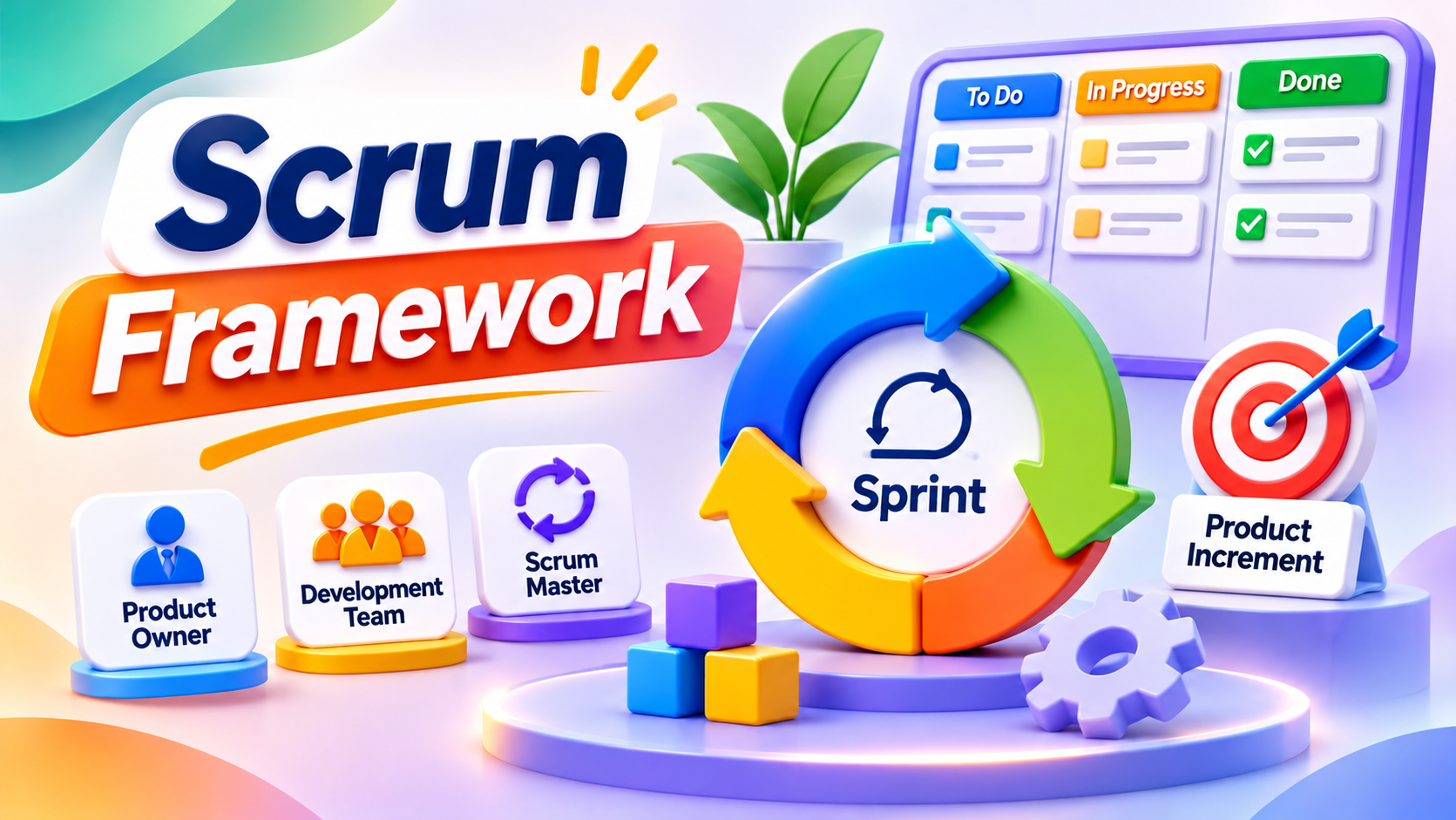
Scrum has five events: the Sprint, Sprint Planning, Daily Scrum, Sprint Review, and Sprint Retrospective.
A Sprint lasts one month or less.
Scrum also defines three artifacts and their corresponding commitments.
| Scrum Artifact | Commitment |
|---|---|
| Product Backlog | Product Goal |
| Sprint Backlog | Sprint Goal |
| Increment | Definition of Done |
These elements provide a foundation for the eight techniques discussed below.
1. Align Development Around a Clear Product Goal
Complex software projects often contain competing requirements.
Customers request features, technical teams identify infrastructure improvements, and business stakeholders introduce new priorities.
Without a shared objective, teams may complete substantial work without improving the product's most important outcomes.
What Is a Product Goal?
The Product Goal describes a future state of the product that the Scrum Team intends to achieve.
It provides a longer-term direction for the work.
For example, consider a company building an appointment-booking application.
An unclear objective would be:
Build a modern appointment management platform.
A more useful Product Goal would be:
Enable customers to find available appointments, book them online, and receive reliable confirmations without contacting support.
This describes the product capability and customer outcome the team wants to achieve.
Connect Backlog Items to Product Value
The Product Owner is accountable for ordering the Product Backlog.
The ordering may consider customer value, risks, dependencies, cost, and opportunities for learning.
Example:
| Backlog Item | Expected Value | Priority |
|---|---|---|
| Display available appointments | Enables customers to select a time | High |
| Confirm a booking | Supports the core booking workflow | High |
| Prevent duplicate bookings | Protects booking reliability | High |
| Send appointment reminders | Improves customer experience | Medium |
| Customize dashboard colors | Adds a visual preference | Low |
Scrum does not prescribe a particular prioritization formula.
The important practice is maintaining an ordered Product Backlog that reflects the intended product direction.
When to use this technique: When multiple stakeholders request features and the team needs a consistent basis for deciding what matters most.
2. Use Continuous Product Backlog Refinement
Large requirements are often difficult to understand, estimate, implement, and test.
Product Backlog refinement helps teams break down and further define work items.
Refinement is an ongoing activity, not a separate mandatory Scrum event.
Why Large Requirements Create Problems
Consider the requirement:
Build a complete online payment system.
That request may involve payment processing, authentication, customer interfaces, error handling, security controls, database changes, and external provider integration.
Treating it as one enormous backlog item can make delivery difficult to forecast and verify.
Break Requirements Into Vertical Slices
A team could divide the capability into smaller behaviors:
- Allow customers to initiate a payment using one supported method.
- Display confirmation after a successful payment.
- Handle unsuccessful payment attempts safely.
- Prevent duplicate payment submissions.
- Provide an authorized transaction-history view.
Each slice should ideally represent a testable product improvement.
Vertical Slicing vs. Technical Task Splitting
Technical task splitting separates work into components such as front-end development, APIs, and databases.
Vertical slicing focuses on delivering a small piece of functionality across the technical components required to make it work.
For example, a booking feature may require an interface, an API, a database operation, and automated tests.
Delivering a usable slice can provide feedback earlier than completing all the backend work before beginning the frontend.
Identify Dependencies Early
Complex projects often depend on external APIs, shared authentication services, or multiple development teams.
During refinement, Developers can identify these dependencies and investigate uncertain requirements.
For example, a checkout feature may depend on an external payment provider's API contract.
Understanding that dependency before implementation can reduce integration delays.
When to use this technique: When requirements are large, unclear, technically risky, or dependent on multiple components.
3. Apply Sprint Planning With a Clear Sprint Goal
Sprint Planning establishes why the upcoming Sprint is valuable, what can be accomplished, and how the work will be performed.
A clear Sprint Goal helps the team remain focused when unexpected issues arise.
What Is a Sprint Goal?
The Sprint Goal describes the single objective for the Sprint.
It is not simply a collection of individual tasks.
Compare these examples.
Weak Sprint Goal:
Complete 15 development tickets.
Better Sprint Goal:
Enable registered customers to reserve an available appointment and receive a booking confirmation.
The second example explains the value the team intends to create.
The Three Topics of Sprint Planning
The official Scrum Guide structures Sprint Planning around three questions.
Why is this Sprint valuable?
The Scrum Team establishes the Sprint Goal.
What can be Done this Sprint?
The Developers select Product Backlog items through discussion with the Product Owner.
How will the chosen work get done?
The Developers create the plan for delivering the Increment.
Consider Capacity and Dependencies
A realistic Sprint forecast considers available capacity, previous performance, known dependencies, and the Definition of Done.
If several Developers are unavailable or a critical integration remains unresolved, the team should account for those conditions.
Can Sprint Scope Change?
Yes.
During a Sprint, the scope of the Sprint Backlog may be clarified and renegotiated with the Product Owner as more is learned.
These changes should not endanger the Sprint Goal.
When to use this technique: At the beginning of each Sprint, especially when multiple requirements compete for limited development capacity.
4. Use Daily Scrum to Coordinate Work and Address Dependencies
Complex software projects frequently involve multiple interacting components.
A change to an authentication service can affect customer accounts. A database migration may introduce problems for reporting, while an API update can disrupt a mobile application.
These issues need early attention.
What Is the Daily Scrum?
The Daily Scrum is a 15-minute event for the Developers.
Its purpose is to inspect progress toward the Sprint Goal and adapt the Sprint Backlog as necessary.
It is not intended to be a status meeting where each Developer reports activities to a manager.
Questions That Support Effective Coordination
The team can discuss whether progress remains aligned with the Sprint Goal, which work is blocked, what has changed, and which adjustments are required.
Scrum does not require a fixed three-question Daily Scrum format.
Developers can select a format that helps them inspect progress and plan their work.
Practical Example: An API Integration Blocker
A team is developing an order confirmation feature.
During the Daily Scrum, a Developer reports that the notification service is returning unexpected responses.
Instead of waiting until the end of the Sprint, the team investigates the service contract and adjusts its immediate plan.
The objective is to resolve the dependency before it creates a larger delivery problem.
Managing Cross-Team Dependencies
A simple dependency table can help.
| Dependency | Teams Involved | Risk | Action |
|---|---|---|---|
| Payment API | Checkout and Payments | Integration delays | Agree on contract early |
| Authentication service | Portal and Identity | Login failures | Coordinate integration tests |
| Database schema | Orders and Analytics | Reporting errors | Review compatibility before changes |
A dependency table is a complementary technique, not a mandatory Scrum artifact.
What About Multiple Scrum Teams?
When several Scrum Teams work on one product, coordination becomes more complicated.
Scrum.org's Nexus framework extends Scrum to help multiple teams minimize dependencies and deliver an integrated Increment.
It uses a shared Product Backlog and additional integration-focused practices.
When to use this technique: When development work involves shared services, dependencies, integration risks, or multiple Scrum Teams.
5. Visualize Workflow and Limit Work in Progress
A team may start several features while its code review and testing queues continue growing.
Developers appear productive, but completed functionality moves slowly.
Workflow visualization makes these delays easier to observe.
Create a Visual Workflow
A simple development board might contain:
        READY
          |
          v
      IN PROGRESS
        WIP: 3
          |
          v
       CODE REVIEW
        WIP: 2
          |
          v
        TESTING
        WIP: 2
          |
          v
         DONE
Figure 1: An illustrative development workflow with Work in Progress limits.
The exact workflow depends on the team.
A task board is useful, but Scrum does not prescribe a particular board layout.
What Is Work in Progress?
Work in Progress (WIP) refers to started but unfinished work.
When too many items are active, developers may spend additional time switching between tasks while queues grow.
How Can WIP Limits Help?
A team may agree that no more than two items should wait in a particular review stage.
When the limit is reached, Developers can focus on completing existing work before starting additional items.
The goal is to improve flow rather than maximize the amount of work in progress.
Important Kanban Flow Metrics
| Metric | Meaning |
|---|---|
| WIP | Number of started but unfinished items |
| Cycle Time | Time between starting and finishing an item |
| Work Item Age | Time an unfinished item has remained in progress |
| Throughput | Number of items completed per unit of time |
These metrics are defined in the Kanban Guide and can help teams understand bottlenecks and delivery trends.
Kanban practices can complement Scrum without replacing its required events, accountabilities, or artifacts.
When to use this technique: When too much work remains unfinished, review queues grow, or the team struggles to understand delivery delays.
6. Maintain Software Quality With a Definition of Done and Continuous Integration
One of the biggest risks in complex software development is treating incomplete functionality as finished.
A feature may appear to work during a demonstration but fail after integration with other components.
Scrum addresses quality through the Definition of Done.
What Is the Definition of Done?
The Definition of Done formally describes the quality measures required for a product Increment.
It creates a shared understanding of when work is complete.
Example Definition of Done
A software team might require:
- Relevant functionality is implemented.
- Automated tests pass.
- Required code review is complete.
- Integration checks pass.
- Applicable security requirements are met.
- Necessary documentation is updated.
- The Increment is usable.
These are example criteria. Scrum does not prescribe this exact checklist for every product.
Why Continuous Integration Matters
Continuous Integration (CI) involves regularly integrating code changes and using automated checks to identify problems.
For example, developers working on an appointment-booking system may change its API and data-handling logic.
An automated test pipeline can verify that the combined implementation still meets important requirements.
Continuous Integration vs. Continuous Delivery
Continuous Integration focuses on frequent integration and verification of code changes.
Continuous Delivery focuses on keeping software in a releasable condition through a suitable delivery process.
Neither concept is a mandatory Scrum event.
However, both can support the delivery of usable Increments.
Can Teams Release During a Sprint?
Yes.
Scrum does not require teams to wait until the Sprint Review before releasing a usable Increment.
Release decisions depend on organizational requirements and product readiness.
When to use this technique: Throughout development, especially when multiple Developers contribute to shared application components.
7. Use Sprint Reviews to Collect Stakeholder Feedback
Delivering software successfully does not automatically mean that customers find it useful.
A product can satisfy documented requirements while still failing to solve the intended problem.
The Sprint Review creates an opportunity to examine the product and adapt future work.
What Happens During a Sprint Review?
The Scrum Team and relevant stakeholders inspect the outcome of the Sprint.
They discuss progress toward the Product Goal and consider what should happen next.
A Sprint Review is more than a demonstration.
It is an opportunity for meaningful collaboration.
Practical Example
A team completes an appointment-booking workflow.
Stakeholders test the functionality and discover that customers cannot easily understand the cancellation rules.
Although the technical feature works, the feedback identifies an opportunity to improve the customer experience.
The Product Owner may adjust Product Backlog priorities accordingly.
Evaluate Outcomes, Not Only Outputs
An output is something delivered.
An outcome is the result that delivery produces.
For example:
| Output | Intended Outcome |
|---|---|
| New booking interface | More completed bookings |
| Clear validation messages | Fewer user errors |
| Faster search functionality | Less time finding appointments |
| Automated tests | Fewer regressions reaching users |
The Sprint Review should help the team learn whether its work supports the intended Product Goal.
When to use this technique: At the end of each Sprint, when working product behavior can be inspected with stakeholders.
8. Use Sprint Retrospectives for Evidence-Based Improvement
Even a team that delivers useful software may experience recurring problems.
Code reviews may take too long. Testing environments may be unreliable, or unexpected dependencies may repeatedly block work.
The Sprint Retrospective helps the Scrum Team improve quality and effectiveness.
What Is a Sprint Retrospective?
The Scrum Team examines how the Sprint went, considering interactions, processes, tools, and the Definition of Done.
The team identifies useful improvements for future work.
Practical Example
During several Sprints, Developers experience delays because the shared testing environment is frequently unavailable.
At the Retrospective, the team investigates the cause and decides to improve its test environment setup.
It then evaluates whether the change reduces waiting time.
Measure the Effect of Improvements
A useful improvement should address a specific problem.
For example:
| Problem | Improvement Experiment | Evidence |
|---|---|---|
| Long code review delays | Introduce review availability agreements | Review waiting time |
| Repeated integration failures | Add automated integration checks | Build failure trends |
| Unclear requirements | Improve near-term backlog refinement | Rework and clarification frequency |
| Slow customer feedback | Make Sprint Reviews more interactive | Stakeholder findings |
Measurements should help teams learn rather than punish individuals.
Avoid Retrospectives Without Action
A Retrospective becomes less useful when the same problem is discussed repeatedly without an improvement being attempted.
Select a realistic change, apply it, and examine the outcome.
When to use this technique: At the end of each Sprint to improve how the Scrum Team collaborates and delivers software.
Comparing the Eight Scrum Techniques
| Technique | Main Purpose | Practical Benefit |
|---|---|---|
| Product Goal | Establish longer-term direction | Improves prioritization |
| Backlog Refinement | Clarify and split requirements | Reduces uncertainty |
| Sprint Planning | Establish a near-term objective | Improves focus |
| Daily Scrum | Inspect progress and adapt plans | Addresses blockers early |
| Workflow Visualization | Make work and bottlenecks visible | Improves delivery flow |
| Definition of Done | Establish quality expectations | Reduces incomplete work |
| Sprint Review | Learn from product outcomes | Improves product decisions |
| Sprint Retrospective | Improve team effectiveness | Supports continuous improvement |
The value of these techniques comes from using them together rather than treating them as separate administrative tasks.
Hands-On Technical Walkthrough: Build a Scrum-Based Appointment-Booking Feature
Let's apply the eight techniques in one small software project.
We'll imagine that a Scrum Team is developing an appointment-booking application.
The business wants customers to reserve available appointment slots without contacting support.
For this exercise, we'll build one small backend capability that demonstrates how development work can be connected to Scrum planning and automated verification.
What You'll Build
A Python booking service that:
- Accepts a customer ID and appointment slot.
- Confirms a booking when the slot is available.
- Rejects duplicate slot reservations.
- Rejects invalid booking requests.
- Includes automated unit tests.
We'll use Python's standard library, so no external packages are required.
Important: This is an educational in-memory prototype. It does not provide production authentication, persistent storage, transaction safety, or concurrent booking protection.
Step 1: Define the Product Goal
The longer-term Product Goal is:
Enable customers to discover available appointment times, book appointments online, and receive reliable confirmations.
This goal describes the desired product outcome.
Our technical exercise will implement only one part of that broader capability.
Step 2: Create the Product Backlog
| ID | Product Backlog Item | Priority |
|---|---|---|
| BOOK-1 | View available appointment slots | High |
| BOOK-2 | Reserve an available slot | High |
| BOOK-3 | Reject duplicate reservations | High |
| BOOK-4 | Display booking confirmation | High |
| BOOK-5 | Cancel an appointment | Medium |
| BOOK-6 | Send email reminders | Medium |
The Product Owner orders the backlog according to value and other relevant considerations.
Step 3: Define the Sprint Goal
For this demonstration, use:
Deliver a tested backend booking flow that confirms available slots and rejects duplicate or invalid requests.
This Sprint Goal is intentionally narrower than the Product Goal.
It helps the Developers focus on a testable capability.
Step 4: Write Acceptance Criteria
Let's define expected behavior using Gherkin-style scenarios.
Feature: Appointment booking

  Scenario: Reserve an available appointment
    Given a valid customer
    And an available appointment slot
    When the customer requests the slot
    Then the booking is confirmed
    And the slot becomes unavailable

  Scenario: Reject a duplicate booking
    Given an appointment slot is already booked
    When another customer requests that slot
    Then the booking request is rejected

  Scenario: Reject missing customer information
    Given the customer ID is empty
    When a booking request is submitted
    Then the request is rejected
Acceptance criteria help Developers and stakeholders agree on expected behavior.
They also guide automated test design.
Step 5: Create the Project
Create a new directory:
mkdir scrum-booking-demo
cd scrum-booking-demo
Use this structure:
scrum-booking-demo/
├── booking.py
└── test_booking.py
Step 6: Implement the Booking Service
Create booking.py and add:
class BookingService:
    def __init__(self, available_slots):
        self.available_slots = set(available_slots)
        self.bookings = {}

    def book(self, customer_id, slot_id):
        if not customer_id or not customer_id.strip():
            raise ValueError("Customer ID is required")

        if slot_id not in self.available_slots:
            raise ValueError("Slot is not available")

        self.available_slots.remove(slot_id)
        self.bookings[slot_id] = customer_id

        return {
            "customer_id": customer_id,
            "slot_id": slot_id,
            "status": "confirmed"
        }
Understanding the Code
The constructor receives a collection of available appointment slots.
The book() method checks whether a customer ID is provided and whether the requested slot is available.
If the request is valid, it removes the slot from the available set and records the booking.
If the request is invalid, it raises a ValueError.
The implementation is small enough to review and test, which makes it useful as a learning example.
However, a real booking system would require persistent storage and transactional controls to prevent duplicate reservations during concurrent requests.
Step 7: Add Automated Unit Tests
Create test_booking.py.
import unittest

from booking import BookingService


class BookingTests(unittest.TestCase):

    def setUp(self):
        self.service = BookingService({
            "MON-09",
            "MON-10"
        })

    def test_booking_available_slot(self):
        result = self.service.book(
            "customer-1",
            "MON-09"
        )

        self.assertEqual(
            result["status"],
            "confirmed"
        )

    def test_duplicate_slot_is_rejected(self):
        self.service.book(
            "customer-1",
            "MON-09"
        )

        with self.assertRaisesRegex(
            ValueError,
            "not available"
        ):
            self.service.book(
                "customer-2",
                "MON-09"
            )

    def test_unknown_slot_is_rejected(self):
        with self.assertRaises(ValueError):
            self.service.book(
                "customer-1",
                "FRI-18"
            )

    def test_missing_customer_is_rejected(self):
        with self.assertRaises(ValueError):
            self.service.book(
                "",
                "MON-09"
            )


if __name__ == "__main__":
    unittest.main()
Step 8: Execute the Tests
Run:
python -m unittest -v
Expected summary:
Ran 4 tests

OK
All four tests have been executed successfully against this example implementation.
These tests verify selected business rules.
They do not establish that the service is production-ready.
Step 9: Connect the Project to Continuous Integration
A Scrum Team using GitHub could configure an automated workflow to run these tests whenever code is pushed or a pull request is opened.
Create the following directory:
.github/workflows/
Inside it, create tests.yml:
name: Booking Tests

on:
  push:
  pull_request:

jobs:
  test:
    runs-on: ubuntu-latest

    permissions:
      contents: read

    steps:
      - name: Check out repository
        uses: actions/checkout@v4

      - name: Set up Python
        uses: actions/setup-python@v5
        with:
          python-version: "3.12"

      - name: Run automated tests
        run: python -m unittest discover -v
This workflow uses GitHub Actions to execute the project's unit tests.
If a test fails, the job should report a failure.
In a real repository, teams should also review workflow permissions, dependency versions, and appropriate action-version pinning.
Why This Supports Scrum
Continuous Integration is not a Scrum requirement, but it can support the Definition of Done.
It provides repeatable evidence that selected software behaviors still work after changes.
For this prototype, automated testing is one part of the quality process. Code review, security review, and other required checks would still need to be completed before considering the Increment Done under a broader production Definition of Done.
Step 10: Visualize Sprint Progress
The team might use the following workflow.
PRODUCT BACKLOG
      |
      v
SPRINT BACKLOG
      |
      v
IN DEVELOPMENT
      |
      v
CODE REVIEW
      |
      v
AUTOMATED TESTING
      |
      v
DONE
Each item should reflect its actual state.
A feature should not be marked Done merely because its initial implementation has been written.
Step 11: Introduce a Controlled Test Failure
To demonstrate the value of automated checks, temporarily change the expected booking status in one test:
self.assertEqual(
    result["status"],
    "pending"
)
The application still returns "confirmed".
Run the tests again:
python -m unittest -v
The affected test should fail.
Restore the original expected value and rerun the tests.
This demonstrates how automated tests can detect a mismatch between required behavior and the implementation.
Step 12: Conduct a Sprint Review
Assume the implementation now meets the relevant quality requirements.
The Scrum Team presents the usable backend behavior to stakeholders.
The demonstration includes creating a booking, rejecting a duplicate request, and reviewing the automated test results.
Stakeholders may identify further requirements, such as appointment cancellation, access controls, or integration with a calendar service.
Those findings can inform future Product Backlog decisions.
Step 13: Conduct a Sprint Retrospective
The team reflects on the development process.
Suppose Developers discover that acceptance criteria were not clear enough when implementation began.
They decide to discuss error-handling requirements earlier during future refinement.
This creates a concrete improvement opportunity for the next Sprint.
What This Walkthrough Teaches
The project connects Scrum planning with technical engineering work.
It demonstrates how a Product Goal provides direction, refinement clarifies requirements, Sprint Planning establishes a focused objective, and automated tests support quality.
The Sprint Review creates an opportunity to inspect product behavior, while the Retrospective supports improvements to the development process.
The main lesson is that Scrum supports useful software delivery when planning, implementation, verification, and feedback operate together.
Measuring Scrum Project Success
A Scrum Team should examine more than the number of tickets completed.
Different measurements answer different questions.
Product Outcomes
Product metrics help determine whether a feature creates useful results.
For an appointment-booking application, these might include:
- Percentage of successful bookings.
- Number of duplicate-booking errors.
- Time required to complete a booking.
- Customer support requests.
- Customer feedback.
Software Quality
Engineering metrics may include automated test results, escaped defects, deployment reliability, and operational incidents.
Delivery Flow
Flow metrics help reveal how work progresses through the development process.
For example, a team might analyze how long work items wait for review and whether too much work remains unfinished.
Predictability
Teams can compare their forecasts with actual outcomes to improve future planning.
However, forecasts are not guarantees.
Story points and velocity are optional techniques, not mandatory Scrum measurements.
Why Metrics Need Context
A team completing fewer backlog items may still deliver more value if its work solves an important customer problem.
Metrics should support better decisions rather than encourage unnecessary activity.
A Four-Week Scrum Improvement Roadmap
Teams beginning with Scrum can use a structured improvement plan.
| Week | Focus | Practical Activity |
|---|---|---|
| Week 1 | Product Goal and backlog quality | Refine high-priority requirements and identify dependencies |
| Week 2 | Sprint Planning and collaboration | Create outcome-focused Sprint Goals and address blockers |
| Week 3 | Workflow and technical quality | Review WIP, Definition of Done, and automated tests |
| Week 4 | Feedback and improvement | Improve Sprint Reviews and test one Retrospective action |
Week 1: Improve Product Direction
Review whether the team understands the Product Goal.
Identify unclear backlog items and technical dependencies.
Week 2: Improve Sprint Focus
Practice creating Sprint Goals that describe a meaningful objective rather than a ticket count.
Consider team capacity and known risks.
Week 3: Improve Delivery Quality
Review how work progresses through development, testing, and completion.
Evaluate whether the Definition of Done provides a consistent standard for usable software.
Week 4: Improve Feedback
Make Sprint Reviews more collaborative.
During the Retrospective, identify an improvement and determine how its effect will be evaluated.
This roadmap is a starting point. Teams should adapt it to their actual product and organizational context.
Common Scrum Mistakes in Complex Software Projects
Treating Scrum as a Task Assignment System
Scrum Teams are self-managing.
Developers should have the ability to determine how the work is organized while maintaining accountability for delivering a usable Increment.
Confusing the Product Goal With the Sprint Goal
The Product Goal describes longer-term direction.
The Sprint Goal describes the objective for a particular Sprint.
Both help maintain alignment.
Starting Too Much Work at Once
Excessive parallel work can create queues, context switching, and incomplete features.
Workflow visualization and suitable WIP policies can help make these problems visible.
Turning Daily Scrum Into a Status Report
The Daily Scrum should help Developers inspect progress and adapt their plan.
It should not exist solely to report individual activity to management.
Ignoring Technical Dependencies
Separate teams may complete components that fail when combined.
Refinement, early integration, and transparent communication can help reduce these problems.
Reducing Quality to Meet a Deadline
Skipping important verification can create defects and rework.
The Definition of Done should remain a meaningful quality commitment.
Treating Sprint Review as a Demonstration Only
The Sprint Review should include discussion of the product's results and future direction.
Stakeholder feedback can influence Product Backlog decisions.
Running Retrospectives Without Implementing Improvements
Repeated discussions without action reduce the value of the event.
Select specific improvements and evaluate their results.
Treating Velocity as Individual Productivity
Story points and velocity can support local planning but are not suitable universal measures of individual performance.
Focus on product value, quality, and meaningful delivery outcomes.
Which Tools Can Support Scrum Teams?
Scrum does not require a specific software platform.
Different tools can support planning, development, collaboration, and evaluation.
| Tool Category | Examples | Purpose |
|---|---|---|
| Backlog and Sprint Management | Jira, Azure Boards | Organize product and Sprint work |
| Collaboration | Microsoft Teams, Slack | Coordinate communication |
| Documentation | Confluence, Notion | Record decisions and requirements |
| Version Control | Git, GitHub, GitLab | Manage code changes |
| CI/CD | GitHub Actions, GitLab CI, Azure Pipelines | Automate testing and delivery |
| Testing | pytest, Playwright, Selenium | Verify application behavior |
| Product Analytics | Suitable analytics platforms | Evaluate user outcomes |
The tool selection should reflect team needs.
A sophisticated project-management platform cannot replace clear objectives, collaboration, sound engineering, or effective decision-making.
Why Scrum Skills Matter for Software Development Careers
Scrum knowledge is relevant to several roles involved in software product development.
Scrum Master: Supports effective Scrum implementation and team improvement.
Product Owner: Maximizes product value and manages Product Backlog priorities.
Software Developer: Creates usable product Increments through development and collaboration.
Quality Engineer: Contributes testing and quality expertise.
Business Analyst: Helps clarify requirements and understand stakeholder needs.
Engineering Leader: Supports technical quality, collaboration, and suitable working conditions.
Agile Coach: May help teams and organizations understand and improve Agile practices.
Scrum knowledge is useful across these responsibilities, but practical experience remains important.
Professionals benefit from understanding not only Scrum terminology but also how real software systems are designed, tested, integrated, and maintained.
Conclusion: Effective Scrum Connects Product Value With Engineering Quality
Complex software projects involve changing requirements, dependencies, technical risks, and competing business priorities.
Scrum helps teams manage these challenges through transparency, inspection, adaptation, and incremental delivery.
The eight techniques covered in this guide provide practical ways to apply those principles.
Product Goals establish direction, refinement clarifies work, and Sprint Planning creates a focused objective.
Daily Scrum supports coordination, while workflow visualization helps identify delays and unfinished work.
The Definition of Done provides shared quality expectations.
Sprint Reviews help teams learn from stakeholder feedback, and Retrospectives support continuous improvement.
The hands-on appointment-booking project demonstrates how these concepts connect with software engineering practices.
A small product capability can begin as a backlog item, become a Sprint objective, be implemented through code, and then be verified using automated tests.
However, Scrum does not guarantee that every project will succeed.
Its effectiveness depends on how teams use the framework, how well they manage technical quality, and whether the work produces meaningful value.
The greatest value of Scrum is helping teams turn complex requirements into usable software, learn from real results, and continuously improve how they deliver value.
For your next step, create a small Product Backlog, define a Sprint Goal, and implement one testable feature.
Then use the results of your tests and stakeholder feedback to determine what should improve next.
This approach connects Scrum theory with the practical responsibilities of modern software development.
Frequently Asked Questions
What Is the Scrum Framework?
Scrum is a lightweight Agile framework that helps teams solve complex problems through iterative delivery, transparency, inspection, and adaptation.
What Are the Eight Scrum Techniques for Complex Projects?
The eight techniques discussed in this guide are Product Goal alignment, backlog refinement, Sprint Planning, Daily Scrum coordination, workflow visualization, Definition of Done, Sprint Reviews, and Sprint Retrospectives.
What Are the Three Scrum Accountabilities?
Scrum defines the Product Owner, Scrum Master, and Developers as the three accountabilities within the Scrum Team.
Is Backlog Refinement a Mandatory Scrum Event?
No. Product Backlog refinement is an ongoing activity rather than a separately prescribed Scrum event.
Is a Scrum Task Board Required?
No. A task board is a useful visualization technique, but the official Scrum Guide does not require a specific board.
What Is the Difference Between a Product Goal and Sprint Goal?
The Product Goal provides longer-term product direction, while the Sprint Goal describes the objective of a particular Sprint.
Is the Daily Scrum a Status Meeting?
No. Its purpose is to inspect progress toward the Sprint Goal and adapt the plan.
Can Scrum Be Combined With Kanban?
Yes. Kanban practices such as workflow visualization, WIP limits, and flow metrics can complement Scrum.
Are Story Points Required in Scrum?
No. Scrum does not prescribe a particular estimation method or require story points.
How Does Continuous Integration Support Scrum?
Continuous Integration provides automated feedback about software changes and can help Developers maintain a usable, integrated Increment.
What Is the Difference Between Sprint Review and Sprint Retrospective?
The Sprint Review focuses on the product outcome and future adaptations with stakeholders.
The Sprint Retrospective focuses on improving the Scrum Team's quality and effectiveness.
Can Scrum Work With Multiple Development Teams?
Yes. Multiple Scrum Teams can contribute to one product.
Approaches such as Nexus can help coordinate dependencies and integration when several teams work together.
Further Reading
Explore these official resources:
About the author
- Jasmin Walia specializes in business applications and project management certifications at Cert Empire. She helps learners understand Salesforce, SAP, Oracle, ITIL, PMP, Agile, and Scrum through practical guidance, clear strategies, and effective exam preparation tips. Email: jasmin@certempire.com
Comments
Join the discussionNo comments yet. Be the first to comment.